

Introducing Meta Muse AI: What Meta’s Personal AI Agent Can Do
Meta Muse AI is a personal AI agent, designed to do more than answer questions. Instead of simply explaining how to complete a task, Meta Muse can work through...

Meta Muse AI is a personal AI agent, designed to do more than answer questions. Instead of simply explaining how to complete a task, Meta Muse can work through multiple steps, browse the web, use connected services, monitor ongoing goals, and take permitted actions on a user’s behalf.
That distinction matters. A normal chatbot usually gives you information and leaves the execution to you. An AI agent can move further down the workflow and actually do some of the work.
Meta introduced Muse in September 2026 as a personal AI agent built around this idea of delegation. The product runs inside its own cloud environment and uses permission controls to determine which connected services and external actions it can access.
The practical question is therefore not only what Meta Muse can do, but also how much control users should give an AI agent when mistakes can affect email, calendars, purchases, files, or other external systems.
What Is Meta Muse AI?
Meta Muse AI is a personal AI agent from Meta that can pursue a goal across multiple steps instead of stopping after generating an answer.
Meta positions Muse as software that can browse, use tools, interact with supported services, and continue working while the user is doing something else.
The easiest way to understand the difference is to compare three common types of AI tools.
AI type | Main role | Typical interaction |
Chatbot | Answer | You ask a question and receive a response |
AI assistant | Help | It drafts, summarizes, organizes, or recommends |
AI agent | Act toward a goal | It plans steps, uses tools, and performs permitted actions |
These categories overlap. Modern AI products increasingly include research, automation, memory, tools, and agent-like features.
What makes Meta Muse notable is that taking action is not a side feature. It is central to how the product is designed.
Why Meta Calls Muse a Personal AI Agent
Consider a travel-planning task.
A chatbot might tell you which destinations fit your budget, suggest an itinerary, and explain how to compare flights.
A personal AI agent can potentially go further by researching options, checking connected information, filling forms, coordinating steps, and returning when it needs approval.
Meta says Muse is designed to handle tasks such as using a browser, filling out forms, working through longer goals, and continuing its work after the app is closed.
That creates a different standard for evaluating the product.
A bad chatbot answer is usually something you can ignore.
A bad agent action may affect another person, an account, a purchase, or a schedule.
What Can Meta Muse AI Do?
The most useful way to understand Meta Muse features is not as a long list of tools. It is better to look at the types of work an AI agent can take off the user’s plate.
Muse is designed for research, monitoring, planning, web-based workflows, connected services, communication, and other multi-step tasks. Meta also describes purchasing and longer-running background work among its supported use cases.
Task type | Example | Recommended user oversight |
Research | Gather and organize information | Check important facts |
Monitoring | Watch for changes or updates | Confirm the monitoring criteria |
Planning | Break a goal into smaller steps | Review assumptions |
Communication | Draft or send permitted messages | Check recipient and content |
Scheduling | Work with connected calendars | Verify dates and time zones |
Web tasks | Browse and complete multi-step workflows | Review important submissions |
Shopping | Find and purchase supported items | Confirm product, merchant, and price |
Research and Monitoring
Research and monitoring are among the easier tasks to delegate because mistakes are usually less consequential.
Instead of repeatedly checking the same information yourself, an AI agent can continue monitoring a topic or condition and notify you when something relevant changes.
That makes Muse AI potentially useful for recurring tasks such as:
watching prices;
following a topic;
monitoring deadlines;
collecting information;
preparing recurring summaries.
For most users, this is a sensible place to begin experimenting with an AI agent.
The agent is doing useful work, but it is not yet changing much outside its own environment.
Multi-Step Digital Tasks
The bigger productivity opportunity appears when one goal normally requires several apps or websites.
For example, arranging a trip might involve research, dates, calendars, comparison shopping, forms, communication, and a final booking.
Instead of generating instructions for every stage, Meta Muse is designed to move through more of the workflow itself.
The benefit is not simply faster text generation.
It is reducing the number of times the user has to copy information between systems or manually perform repetitive steps.
Connected Apps and Services
An AI agent becomes more capable when it can interact with services the user already relies on.
Meta says Muse supports connections to external services as well as Meta products, with permissions determining what the agent can access and do.
This creates an important distinction:
access to information is not the same as permission to take action.
Reading calendar information is a lower level of authority than creating or changing calendar events.
The same principle applies to email, files, purchases, and other connected systems.
Background Work
Meta Muse can continue working after the user leaves the app, which is one of the clearest differences between a personal AI agent and a traditional chatbot.
The user can hand over a longer-running task and come back when:
the task is complete;
something changes;
the agent needs clarification;
an approval is required.
That makes Muse potentially useful for workflows where constant supervision would defeat the purpose of automation.
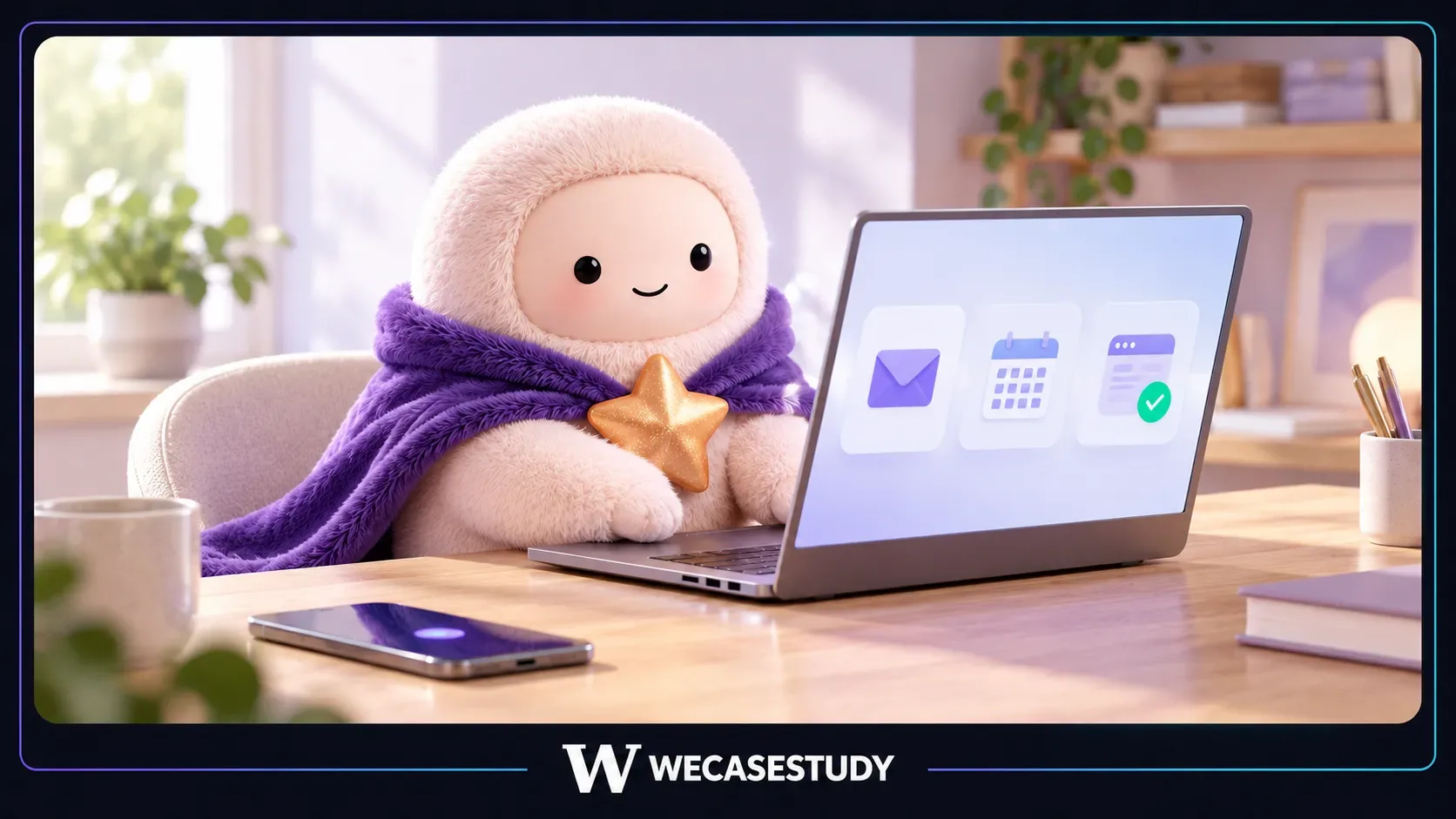
How Does Meta Muse Work?
A simplified Meta Muse workflow looks like this:
1. You give Muse a goal.
2. Muse determines which steps or tools it needs.
3. It accesses services for which permission has been granted.
4. It works through the task.
5. Security controls determine whether external actions can proceed.
6. Some actions require direct user approval.
The real infrastructure is more complicated, but this model explains what matters from the user’s perspective.
Step 1: You Give Muse a Goal
An AI agent is generally more goal-oriented than command-oriented.
The user does not necessarily need to describe every click or every intermediate step.
Instead, the user describes what they want to achieve.
Muse then attempts to determine the sequence required to get there.
That can reduce manual work, but it also introduces interpretation risk.
If the agent misunderstands the goal, it may execute the wrong plan very efficiently.
Step 2: Muse Uses Tools and Connected Services
Muse can use different tools and services as part of one task.
This is what allows an AI agent to bridge the gap between planning something and actually doing it.
The important limitation is permission.
An agent should only have access to the systems and capabilities necessary for the task.
Step 3:Security Controls Evaluate the Action
Meta does not rely only on the main AI model to decide whether every action should be allowed.
Muse includes separate security and permission systems designed to evaluate external actions.
That separation becomes especially important when Muse interacts with:
email
external websites
purchases
user data
third-party accounts
Why Meta Muse Has Its Own Cloud Computer
Meta Muse operates inside a dedicated cloud environment called Muse Secure VM.
A virtual machine is essentially a software-defined computer.
In Muse’s case, the environment gives the AI agent somewhere persistent to work with files, run tools, browse the web, maintain context, and handle longer-running jobs.
A useful mental model is:
User → Meta Muse → Muse Secure VM → permitted external services
The important point is that Muse has a working environment rather than existing only inside a chat window.
Why Muse Does Not Need to See Your Real Passwords
Credentials are one of the biggest security concerns for autonomous AI agents.
If an AI model can directly read a password or authentication token, malicious content could potentially try to manipulate the agent into exposing it.
Meta says sensitive credentials are stored separately from the main Muse agent so that the agent can use authorized services without directly seeing the original credential.
This follows a basic security principle:
If the AI does not need to know a secret, do not expose that secret to the AI.
What Sentinel Does
Meta Muse also uses a separate system called Sentinel.
The easiest way to understand Sentinel is:
Muse decides what it wants to do. Sentinel decides whether it is allowed to do it.
Meta describes Sentinel as the permission authority for external connector actions and network activity.
That is a meaningful design choice.
The same AI agent proposing an action is not also given unlimited authority to approve every action itself.
Is Meta Muse AI Safe to Use?
There is no useful answer that simply says “yes” or “no.”
Meta has built multiple safeguards around Muse, but no autonomous AI agent should be treated as incapable of making mistakes.
Meta’s own security documentation explicitly acknowledges that Muse can make mistakes and that prompt injection remains a challenge for AI agents.
The better way to think about Muse AI safety is:
risk reduction, not risk elimination.
Risk | Relevant safeguard | What it cannot guarantee |
Excessive account access | Permission scopes | Permissions are always configured wisely |
Credential exposure | Separate credential handling | No future vulnerability will ever exist |
Malicious web content | Prompt-injection defenses | Every malicious instruction is detected |
Wrong external action | Sentinel and approvals | The user spots every incorrect detail |
Agent mistake | Isolated execution | Muse always understands the goal correctly |
Prompt Injection Is an Important AI Agent Risk
Prompt injection occurs when an AI encounters external content designed to manipulate its instructions.
For example, malicious instructions could be hidden inside:
a webpage
a document
an image
a downloaded file
This problem matters more for an AI agent than for a basic chatbot because the agent may have tools and permissions that allow it to act on what it reads.
Meta says Muse uses several layers of protection, including model-level defenses, separate classifiers, untrusted-content labeling, browser restrictions, and human approval for some actions.
None of those measures should be interpreted as proof that prompt injection is solved.
Sensitive Actions Need More Oversight
A useful AI agent should not interrupt the user before every harmless operation.
At the same time, actions involving money, personal information, or external systems deserve more friction.
Meta says Sentinel can pause certain actions and request direct approval from the user.
The product also uses additional safeguards around supported purchases.
The broader principle is more important than any single feature:
The higher the consequence of a mistake, the more visible the approval step should become.
External Security Testing Matters
Meta has also opened Muse to a public bug bounty program intended to reward outside security researchers who discover vulnerabilities.
A bug bounty does not prove Muse is secure.
It does something more useful: it gives independent researchers an incentive to find weaknesses that Meta’s own teams may have missed.
What Happens to Your Data in Meta Muse?
Privacy and security should not be treated as the same question.
Security asks: Can an unauthorized person or system access or manipulate the data?
Privacy asks: What information exists, where does it go, who can access it, and how is it used?
Meta says Muse keeps its primary working data inside the user’s dedicated Muse environment, while some information is processed outside the VM when required for functions such as AI inference and telemetry.
Muse Secure VM Is Not a Zero-Access System
This distinction is important.
Meta says the current Muse Secure VM restricts internal access to user data, but it does not technically prevent Meta from accessing that data when access is required to operate, secure, or support the service.
That means “your own cloud computer” should not be interpreted as:
“Meta can never access anything inside it.”
The current system is built around isolation and access controls rather than absolute provider blindness.
Does Muse Data Affect Advertising?
Meta says conversations with Muse and the data stored inside the Muse VM are not directly shared with Meta advertising systems.
However, what Muse does on external services can still create normal downstream signals.
For example, if Muse visits a retailer on your behalf, the retailer may treat that visit similarly to other account or browser activity.
So there is an important distinction:
Muse VM data is not the same thing as activity Muse performs elsewhere on your behalf.
Can Meta Use Muse Data to Train AI?
Meta says interaction data from Muse can contribute to model improvement after privacy-processing steps, and users can opt out of having their Muse interactions used for AI training through Muse settings.
For users connecting sensitive services, this setting deserves active attention rather than assuming the default will match their preferences.
What Is Muse Confidential VM?
Meta is also developing Muse Confidential VM, a stronger privacy architecture intended to technically prevent Meta itself from accessing information inside the environment.
Meta currently describes the technology as under development/testing rather than something every Muse user already receives.
The important distinction is:
Muse Secure VM: current security and isolation architecture.
Muse Confidential VM: planned stronger privacy architecture intended to add cryptographic protection against provider access.

Meta Muse vs a Regular AI Chatbot
Meta Muse belongs to the broader shift from conversational AI toward agentic AI.
The key difference is not simply which model writes better text.
It is what happens after the answer is generated.
Capability | Typical chatbot | Meta Muse AI agent |
Answer questions | Yes | Yes |
Draft content | Yes | Yes |
Work through several steps | Varies | Core use |
Use connected services | Varies | Central capability |
Take external actions | Varies | Yes, with permissions |
Continue in background | Varies | Yes |
Maintain a working environment | Varies | Yes |
Require detailed permission controls | Sometimes | Much more important |
The better question is therefore not simply:
“Is Meta Muse better than a chatbot?”
It is:
“How much of my workflow am I comfortable delegating to an AI agent?”
What Should You Let a Muse AI Agent Do?
A useful way to evaluate any personal AI agent is to begin with one question:
What happens if it gets the task wrong?
Then ask:
How easy is the mistake to reverse?
The following Delegation Ladder is an editorial framework, not an official Meta classification.
Level | Task type | Consequence of error | Reversibility | Recommended oversight |
1 | Observe | Low | Easy | Review results |
2 | Prepare | Low–moderate | Usually easy | Check before use |
3 | Coordinate | Moderate | Varies | Verify details |
4 | Act | Potentially high | Sometimes difficult | Confirm important actions |
Level 1: Observe
Start with tasks where Muse mainly watches, researches, or summarizes.
Examples:
researching a topic;
monitoring a price;
tracking an update;
preparing a summary;
collecting information.
Mistakes are usually easier to catch because the agent has not changed anything outside its own working environment.
Level 2: Prepare
The next level includes tasks such as:
drafting a message;
organizing information;
creating a comparison;
preparing a plan;
filling preliminary information.
The AI agent does more of the work, but the user still has a natural review point before the result affects another system.
Level 3: Coordinate
Coordination introduces external consequences.
Examples might include:
scheduling
communicating
updating connected services
arranging tasks across multiple systems
A mistake can now affect another person or an external account.
The user should pay more attention to recipients, dates, permissions, and scope.
Level 4: Act
This is the highest-trust category.
Depending on supported capabilities, it can include actions such as:
purchases
bookings
submissions
account changes
sending consequential communications.
The practical rule is simple:
The less reversible an action is, the more human oversight it deserves.
Is Meta Muse Free?
Meta Muse currently offers free usage, with limits on how much the user can do before waiting for the allowance to refresh or moving to a paid option.
Because AI subscription terms can change quickly, exact pricing and limits should always be checked on Meta’s current Muse product page before subscribing.
That is better than hard-coding a price into an evergreen article that could become outdated within weeks.
Where Is Meta Muse Available?
Meta launched Muse through several access points, including mobile and web experiences. Meta also provides a Mac version.
Platform | Current position |
iPhone | Available |
Android | Available |
Mac | Available |
Web / muse.ai | Available in supported launch markets |
Supported Muse interaction | |
Meta AI glasses | Announced expansion; rollout should be checked before relying on availability |
Platform support is particularly freshness-sensitive, so device and country availability should be checked whenever this guide is updated.
Should You Use Meta Muse AI?
Meta Muse makes the most sense when the amount of manual work it removes is greater than the amount of supervision it creates.
Muse AI may fit you if… | Use more caution if… |
You repeat digital tasks frequently | A mistake could be expensive |
You want monitoring or background work | The task involves highly sensitive information |
You use services Muse supports | You do not want to grant account access |
You are willing to review important actions | You expect perfect autonomous execution |
You understand the permissions you give it | You usually approve prompts without reading them |
A practical starting point is a useful but reversible task.
Ask Meta Muse to research, monitor, compare, organize, or prepare something before giving it authority over actions that affect money, other people, or important accounts.
This lets you evaluate how the AI agent interprets your instructions while keeping the cost of failure manageable.
The most useful question is not:
“How impressive is Meta Muse?”
It is:
“How much real work can I safely stop doing manually?”
Why Meta Muse Matters Beyond Another AI App
Meta Muse is strategically interesting because it represents a different relationship between users and software.
Traditional software assumes the user decides which app to open and then manually works through the interface.
An AI agent changes that sequence.
The user describes the outcome.
The agent determines which tools and services may be needed to achieve it.
From AI Assistant to Execution Layer
The first generation of mainstream generative AI trained people to ask:
“How do I do this?”
Agentic AI pushes toward:
“Do this for me.”
That means competition increasingly depends on more than the underlying language model.
Important factors become:
reliability;
memory;
permissions;
connectors;
background work;
tool use;
security;
user trust.
Meta Muse is designed around those capabilities rather than treating them as secondary features.
Why User Intent Could Become Strategically Important
If personal AI agents become common, users may spend less time choosing individual apps for every step of a task.
Instead, they may give the agent a goal and allow the agent to determine how that goal should be accomplished.
That makes the system receiving the user’s intent strategically important.
Meta does not need Muse to replace every app.
It needs Muse to become useful enough that users increasingly begin their digital tasks by telling Muse what they want.
Whether that happens will depend less on clever demos than on reliability and trust.
The Bigger Bet Behind Meta Muse
Meta Muse AI is not important simply because Meta has launched another AI product.
The bigger idea is delegation.
Instead of moving manually between apps, websites, files, messages, and services, the user gives an AI agent a goal and allows it to complete more of the workflow.
That can remove meaningful busywork.
It also changes the cost of mistakes.
A chatbot that recommends the wrong restaurant gives bad advice.
An AI agent that books the wrong restaurant has taken the bad advice and acted on it.
That distinction becomes much more serious when the workflow involves:
money;
personal information;
messages;
files;
schedules;
account permissions.
Meta has built Muse around isolated execution, separate credential handling, permission controls, user approvals, and external security testing. Meta’s own security team also acknowledges that Muse can still make mistakes and that prompt injection remains an unresolved problem for the AI agent industry.
The long-term test for Meta Muse will therefore not be how many features Meta can add.
It will be how much useful responsibility people are willing to delegate—and whether Muse AI can earn enough trust to keep that responsibility.
Frequently Asked Questions About Meta Muse AI
Is Meta Muse the same as Meta AI?
No. Meta AI is Meta’s broader AI assistant ecosystem, while Meta Muse is positioned specifically as a personal AI agent designed to perform multi-step work and take permitted actions toward a user’s goals.
Can Meta Muse access email and calendars?
Meta Muse can use supported connected services when the user grants permission. The exact permissions depend on the connector and the access the user chooses to provide.
Can Meta Muse make purchases?
Meta includes shopping and purchasing among Muse’s supported use cases. Higher-risk purchase actions are designed to involve user approval rather than giving the AI unrestricted purchasing authority.
Is Muse AI safe?
Muse includes several security layers, but it should not be treated as risk-free. Meta itself acknowledges that AI agents can make mistakes and can encounter adversarial content.
Does Meta Muse use my data for AI training?
Meta says users can control whether their Muse interaction data is used for model training through Muse settings. Users handling sensitive information should review those settings directly.